
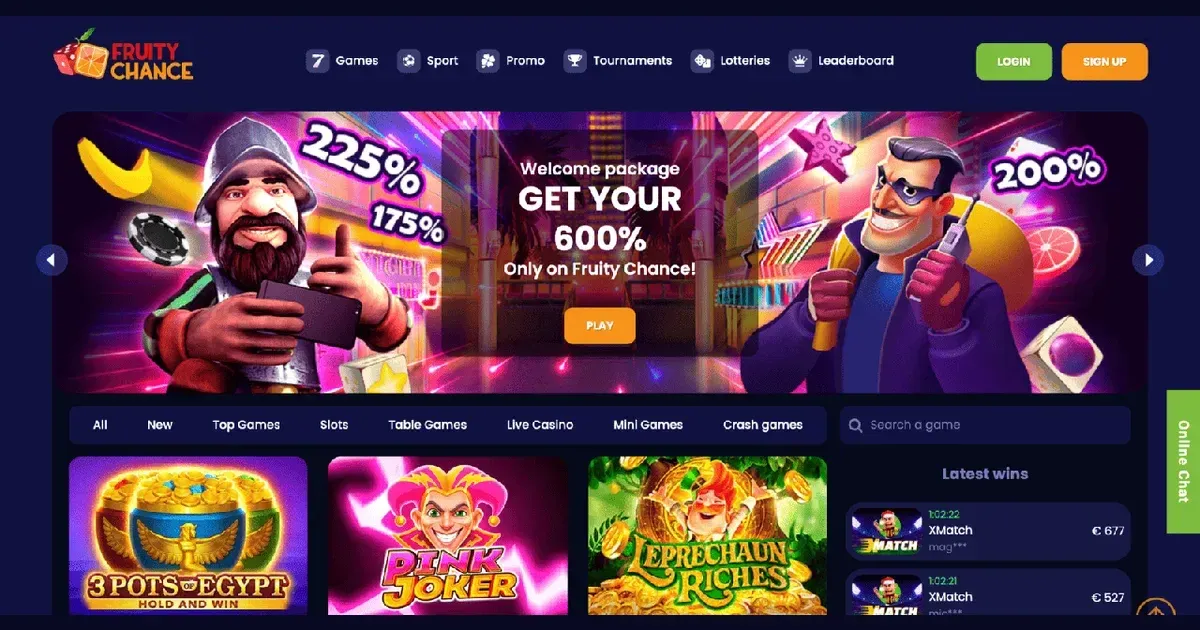
Fruitychance runs entirely in your mobile browser – no native app exists for iOS or Android. You reach the same library, cashier and support from a phone as you would on desktop, using the same account and login. The site adapts to smaller screens automatically, though some features feel cramped and a few layout elements take extra taps to navigate.
Over 2,000 slots, live dealer tables and the sportsbook all load in Safari, Chrome or any standards-compliant mobile browser. Deposits, withdrawals and identity verification are handled the same way. What changes is the screen real estate – filters, game previews and multi-step forms compress into scrollable lists, and typing long passwords or uploading documents from a phone's camera roll takes more care than it does on a laptop.
What you can actually do from a phone
Every core function available on desktop works on mobile. You can register a new account, verify your identity by uploading photo ID and proof of address, claim the welcome bonus, place bets on football or basketball, spin slots from providers including NetEnt, Booongo and Kalamba, join live roulette or blackjack tables, deposit via Visa, Mastercard, PayPal or Skrill, and request withdrawals up to the daily limit of €2,000.
The cashier translates well to touch – payment method buttons are large, amount fields bring up the numeric keyboard automatically, and confirmation screens summarise the transaction before you tap through. Withdrawal requests show their status (pending, processing, completed) in the account dashboard, and you receive the same email notifications as desktop users when a payout clears.
Support works identically: live chat opens in a overlay window that stays on top as you browse other pages, and the email address [email protected] is linked throughout the mobile site. Response times match the desktop experience – 24/7 availability, usually answered within a few minutes during peak hours.
Games that suit a small screen
Slots with simple 5×3 grids and large symbols render cleanly on phones. Titles like Starburst and Gonzo's Quest keep their controls – spin, bet adjustment, autoplay – thumb-accessible at the bottom of the screen. More complex slots with cascading reels, expanding grids or multi-level bonus games can feel cluttered on a 6-inch display, and paytable screens sometimes require pinch-to-zoom.
Live dealer games stream smoothly over 4G or Wi-Fi, but the chat panel, bet history and side-bet buttons all compete for space. Landscape orientation helps – it gives the video feed more room and moves the controls to the side rather than stacking them below the stream.
The sportsbook's event list and betting slip both collapse into scrollable single-column layouts. Finding a specific league or match type takes more taps than desktop filtering, though the odds themselves and the bet-placement flow work without issue. In-play betting updates in real time, and the slip stays accessible as a floating button in the corner.
Where mobile falls short
Some elements that feel natural on desktop become awkward on a phone. The main navigation menu hides behind a hamburger icon, so switching between slots, live games and sports takes an extra tap every time. Game thumbnails shrink to fit more tiles per row, making it harder to judge a slot's theme or read its title before opening it.
Typing and uploading documents during KYC is slower. You need to photograph your ID from both sides with the phone's camera, making sure the first six and last four digits of any payment card are visible while the CVV stays hidden. A utility bill dated within the last three months must be clear enough for automated review, and rejected uploads mean starting the process again. On desktop you can scan documents at higher resolution and crop them precisely before submission.
The responsible gambling tools – deposit limits, self-exclusion requests – are tucked inside account settings rather than prominently signposted, and the 30-day self-exclusion period starts only after you confirm via live chat or email. Setting a limit on a small screen means scrolling through nested menus, and there's no one-tap shortcut to pause play immediately.
Battery and connection
Live dealer streams and 3D slots drain battery faster than static content. A two-hour session on 4G can consume 30–40% of a full charge, more if the screen brightness stays high. Switching to Wi-Fi helps, though public networks sometimes throttle video streams or block gambling domains entirely.
A dropped connection during a live round or a sports bet can leave the outcome unclear until you reconnect and check your account history. The site does not cache incomplete transactions locally, so you'll need to log back in and review the bet slip or game history to confirm whether the wager was placed.
Practical steps before you play on mobile
- Confirm you're on the operator's actual domain – phishing sites mimic the layout and can look identical on a small screen. Check the address bar for the correct URL before entering your password.
- Use a secure connection. Public Wi-Fi at cafés or airports can expose login credentials; a VPN or mobile data is safer for accessing your account and making deposits.
- Set deposit and time limits before the session starts. Once you're playing, the friction of navigating back to account settings is often enough to skip setting a limit until later.
- Sign out when you're done, especially on a device shared with others or one you might lose. The site does not auto-log you out after inactivity, and an open session gives anyone with the phone full access to your balance and withdrawal options.
- Check your balance and recent transactions before depositing. The mobile cashier shows the same figures as desktop, but the smaller screen makes it easier to miss a pending withdrawal or an active bonus with wagering conditions still attached.
Responsible play on a device you always carry
A phone in your pocket makes it easy to play whenever boredom strikes – on the commute, during a break, late at night when a laptop feels like too much effort. That convenience is exactly why mobile sessions need clearer boundaries than desktop ones. Gambling should be entertainment, not a reflex.
You must be 18 or over (18+) to use this site. If play stops feeling like a choice – if you're chasing losses, hiding session lengths, or funding deposits with money meant for something else – free and confidential help is available at BeGambleAware.org. The National Gambling Helpline (0808 8020 133) is open 24/7, and GamStop offers free self-exclusion across all UK-licensed operators.
Blocking software like Gamban and BetBlocker works on phones as well as computers, preventing access to gambling sites even when you're tempted. For residential or online treatment programmes, Gordon Moody provides structured support. More resources and guidance are available at GamCare.
Access to this site is restricted to persons aged 18 and over (18+). We want your play to stay enjoyable – for free, confidential support, visit BeGambleAware.org.